Unfolding 3D → 2D
Bent STEP parts as solids or surfaces, faceted plate work, faceted warped surfaces: a DXF flat pattern ready for cutting.
thickness detected · sharp or rounded bends
TôlerieCAD 0.5.0
Design, unfolding and folding of sheet metal and plate work: from a DXF drawing to the 3D part, and from a STEP part to its flat pattern.
Features
Bent STEP parts as solids or surfaces, faceted plate work, faceted warped surfaces: a DXF flat pattern ready for cutting.
thickness detected · sharp or rounded bends
Reads DXF flat patterns with their bends, folded 3D part, folding animation, STEP export as a solid.
automatic angle convention · K from the file
Outline, flanges, tabs, holes, slots, notches, reliefs, text for signs: every tool updates the 3D.
snapping, dimensions, hover details
Square-to-round, cone, cylinder, hopper, angle, channel, tray: a flat pattern in seconds, inside, outside or mean dimensions.
adjustable generators per quarter
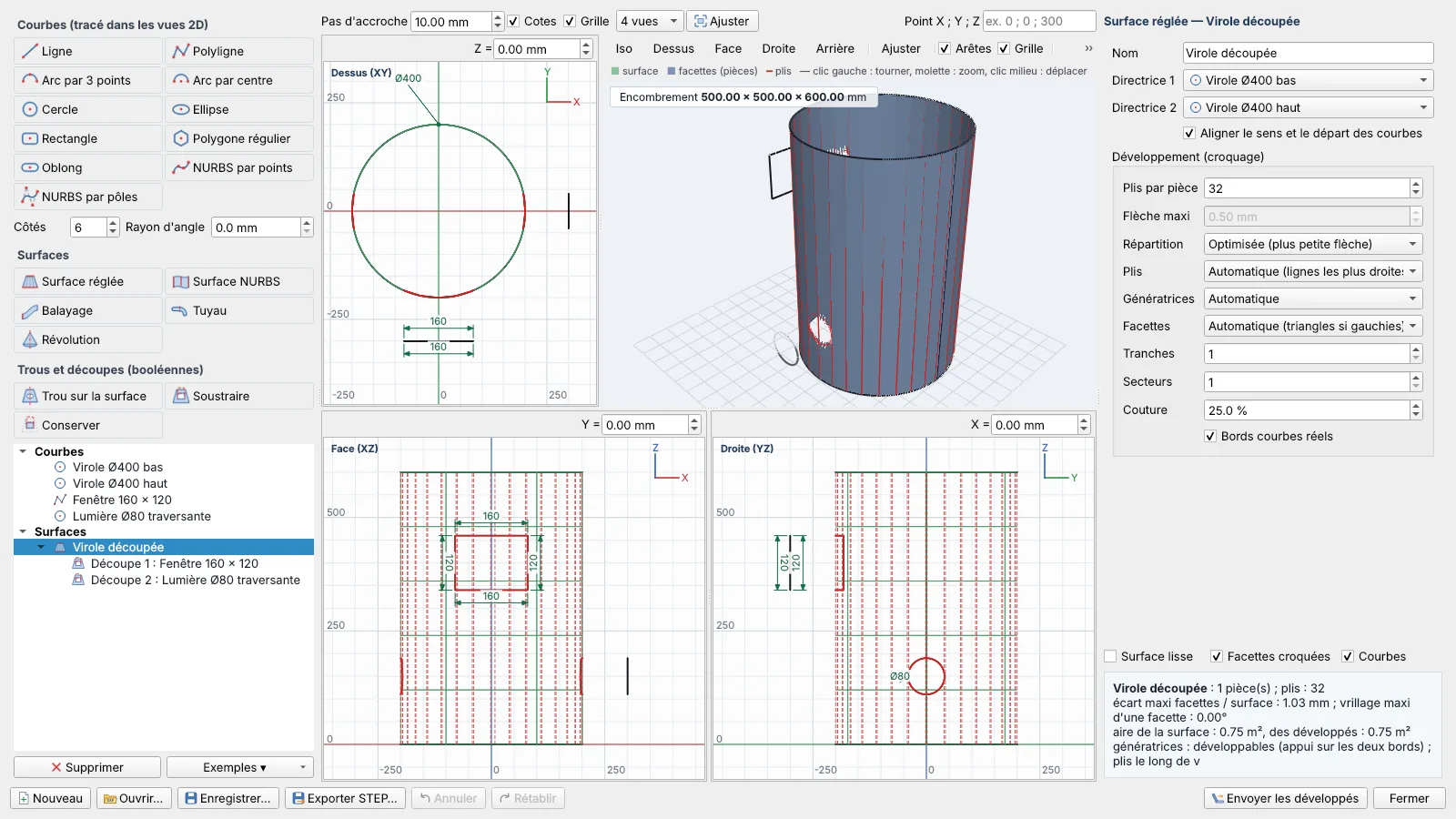
Curves, ruled surfaces, NURBS, sweeps, pipes, revolutions. Holes and Boolean cut-outs, imposed number of bends.
triangulation of twisted facets
Bend tables, calculated or measured springback, bend sequence and collisions with punch and die.
automatic collision-free sequence
Installation
TolerieCAD-Setup.exe and run it. Administrator rights are not required.contact@tolerie.net and paste the key you receive into the same window.FAQ
DXF flat patterns (bend lines on layers, angles written as text, including exports from other unfolding software) and bent STEP parts, as solids or surfaces. It saves cutting DXF files (outline, holes, bends and angles on separate layers) and exports the folded part as STEP.
Each bend adds angle × (R + K × t) along the neutral fibre. The inside radius and K factor come from bend tables by material, thickness and die, which you adapt to your press brakes. A K factor read from a DXF file is respected.
A warped surface is not developable: TôlerieCAD facets it into flat facets with the number of bends you set or a maximum sag. With triangulation, each twisted facet is folded along its diagonal; the flat pattern then refolds exactly onto the facets, and the deviation from the real surface is displayed.
The software switches to limited mode: you can still open, design and check your parts, but saving and exporting are reserved for the licensed version. File → Licence… shows your machine code to order a key.
This warning appears for recent software with few downloads. Click More info, then Run anyway. The installer does not require administrator rights.
French, English, Spanish, Russian and Arabic (right-to-left interface), selectable in the View tab without restarting. German is planned.
Free 30-day trial, all features included
A single installer, no administrator rights required. Your licence is tied to the computer and activates in two minutes.